My Adventure with Enterprise Switches: Loud, Hot, But Worth It!
Ever wondered about bringing enterprise-grade networking into your homelab? I did, and boy, was it an adventure! From the roar of the fans to the surprising power draw, join me as I share my journey with these powerful, albeit noisy, beasts.
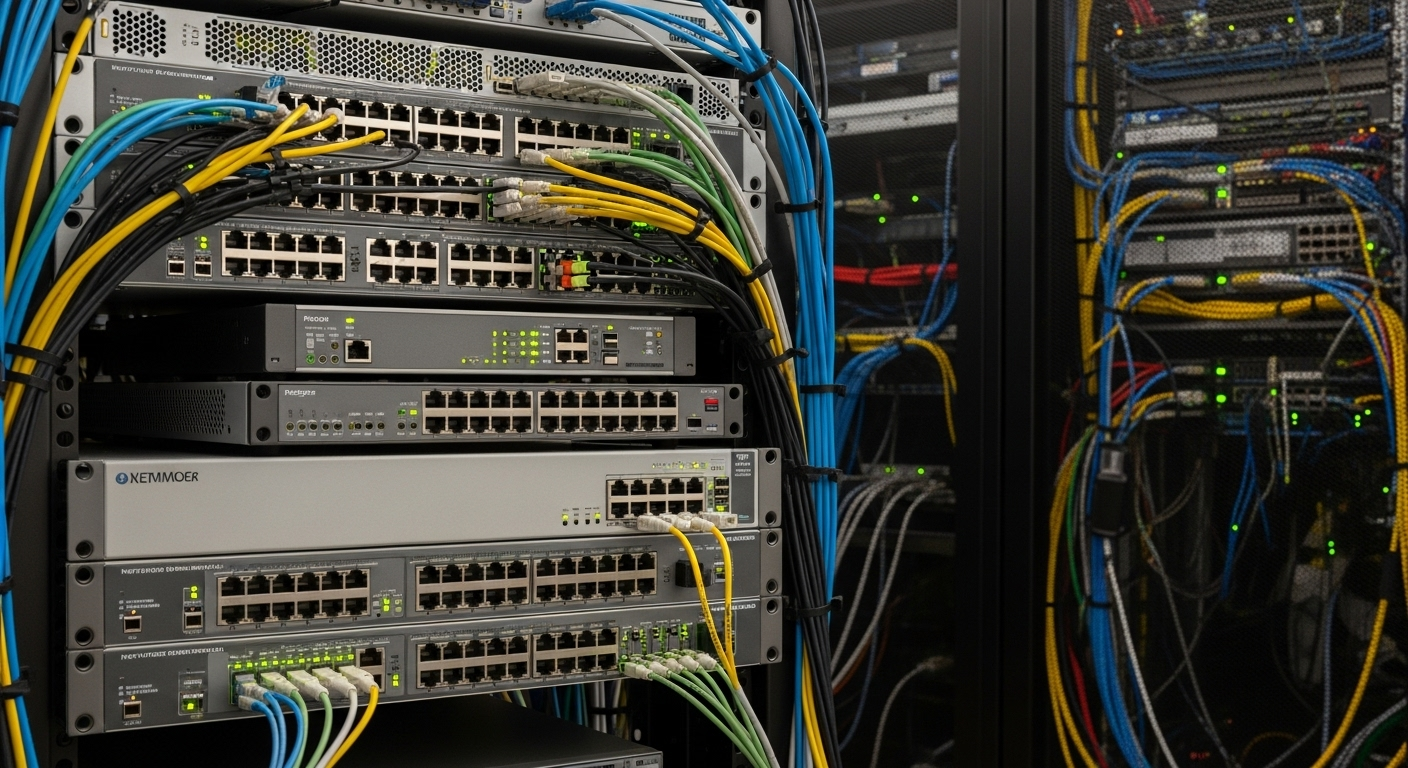
My Adventure with Enterprise Switches: Loud, Hot, But Worth It!
Hey fellow homelab enthusiasts! Today, I want to share a journey that completely transformed my home network: diving headfirst into the world of enterprise-grade switches. For years, I relied on consumer-grade gear, and it served me well enough. But as my homelab grew – with a NAS, a couple of virtualized servers, and a thirst for more robust networking – I started hitting some serious walls. That's when the idea of an enterprise switch began to whisper in my ear.
The 'Why' Behind the Madness
My motivations were pretty straightforward. I craved:
• 10 Gigabit Ethernet (10GbE): My NAS was screaming for faster access, especially with large file transfers.
• Advanced VLANs: I wanted to properly segment my network – separating IoT devices, guest Wi-Fi, and my lab environment for security and organization.
• Link Aggregation (LAG/LACP): To bond multiple network interfaces for increased throughput and redundancy to my NAS and servers.
• Learning Opportunity: Let's be honest, getting hands-on with enterprise gear is an invaluable learning experience for anyone interested in IT infrastructure.
After much research, eBay browsing, and a bit of a budget stretch, I landed myself a used Cisco Catalyst 3750X. It was a beast: 48 ports, PoE+, and those sweet SFP+ slots for 10GbE. The price was right for a used unit, but little did I know what I was truly signing up for.
First Impressions: The Roar and the Radiator
The moment I powered it on, reality hit me like a ton of bricks. Or rather, like a jet engine taking off in my office. These switches are designed for climate-controlled server rooms, not a cozy home office! The fans, bless their hearts, were doing their job, but they were LOUD. And then there was the heat. You could practically warm your coffee on the exhaust. My utility bill also started to show a noticeable bump.
Challenge #1: Noise Mitigation. This was my biggest hurdle. My initial solution was simply to move it into a less-frequented corner of the house, but that wasn't ideal. I eventually invested in a small, enclosed server rack (a half-height one) and lined it with acoustic foam. It didn't make it silent, but it brought the noise down to a tolerable hum. For those considering fan mods, be warned: it can be tricky, risky, and might affect cooling, potentially shortening the life of your expensive gear. I decided against it for my first foray.
Challenge #2: Power Consumption. Enterprise switches, especially older ones, are power-hungry. Monitoring tools helped me understand its draw (around 100-150W idle, more with PoE). This was a conscious trade-off for the features and performance I gained.
The Learning Curve: CLI, VLANs, and Beyond
This is where the real fun began. Unlike consumer switches with their user-friendly web interfaces, enterprise gear often lives and breathes in the Command Line Interface (CLI). It was daunting at first. I spent hours poring over Cisco documentation, watching YouTube tutorials, and making countless mistakes (thank goodness for copy running-config startup-config and reload!).
But with each command, with each successful VLAN configuration, with each perfectly configured LAG to my NAS, I felt a surge of accomplishment. I learned:
• VLANs: How to create them, assign ports, set up trunk links, and route traffic between them. My network is now beautifully segmented, giving me peace of mind for security and making troubleshooting a breeze.
• Link Aggregation: Setting up LACP between my switch and NAS, and then to my main server, dramatically improved file transfer speeds and provided redundancy.
• Spanning Tree Protocol (STP): Understanding how to prevent network loops, a critical concept in larger networks.
• SNMP Monitoring: Setting up monitoring with tools like Grafana to keep an eye on port status, traffic, and even temperature.
The journey from a complete CLI novice to comfortably navigating the switch's operating system was incredibly rewarding. It wasn't just about making things work; it was about understanding the 'how' and 'why' behind enterprise networking principles.
Was It Worth It? Absolutely!
Despite the initial shock of the noise and heat, and the steep learning curve, bringing an enterprise switch into my homelab was one of the best decisions I've made. The performance uplift, especially with 10GbE and LAG, is tangible. My network is more robust, more secure, and infinitely more flexible. Most importantly, the knowledge and skills I gained are invaluable.
If you're considering a similar adventure, I say go for it! Just be prepared for the realities of enterprise hardware in a home environment. Do your research, understand the power draw and noise levels, and be ready to learn a lot. It's a challenging but incredibly rewarding experience that will elevate your homelab – and your networking skills – to a whole new level.
Happy homelabbing!