My Adventure with Enterprise Switches: Loud, Hot, But Oh So Worth It!
Diving into the world of enterprise networking for my homelab was an eye-opener. From the roar of server fans to the heat they generate, these powerful switches brought challenges, but the learning and capabilities they unlocked were invaluable.
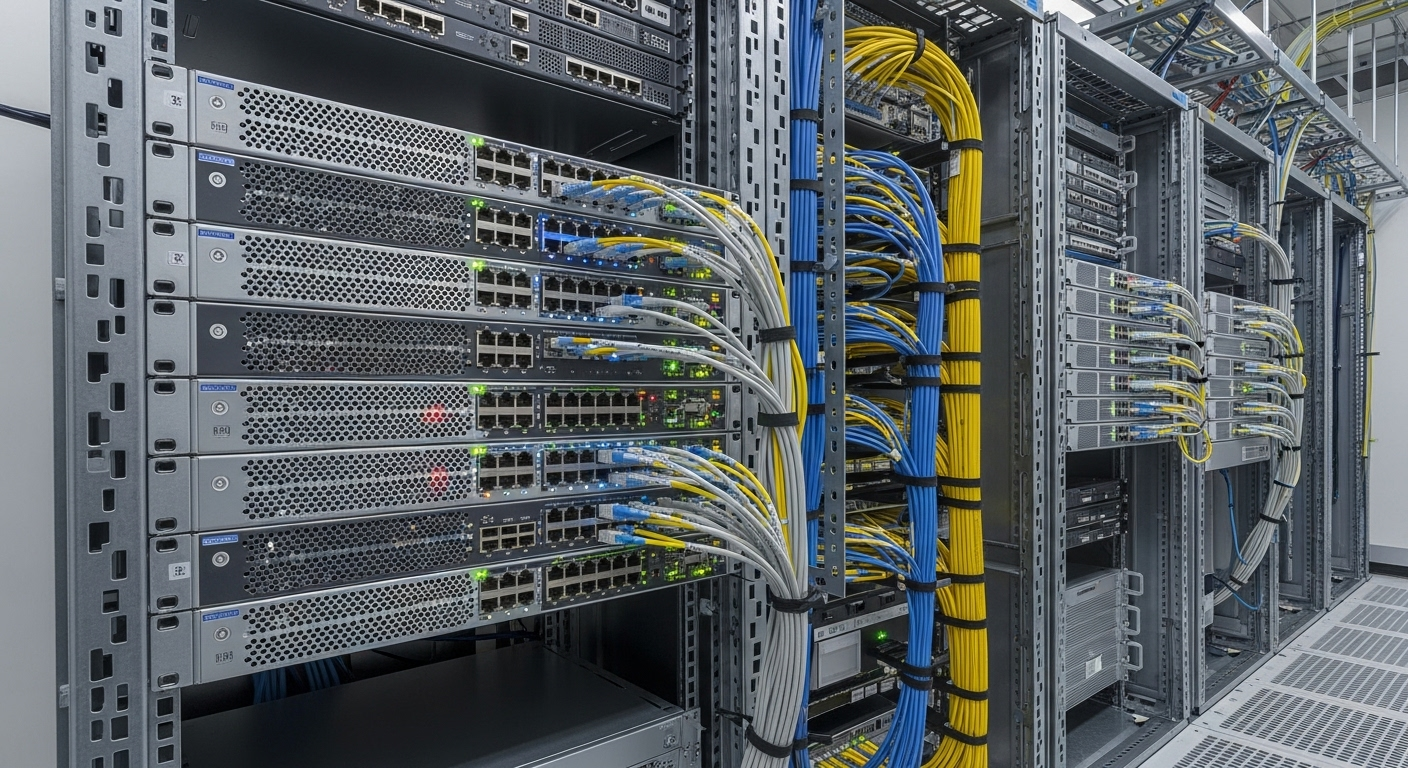
The Homelab Dream Meets Reality
Hey fellow tech enthusiasts! Today, I want to share a little tale from my homelab journey – the one where I decided to ditch consumer-grade network gear and jump headfirst into the intimidating, yet incredibly rewarding, world of enterprise switches. Like many of you, I'd been running a basic network for years, but as my homelab grew with more servers, VMs, and IoT devices, I started hitting limitations. I craved features like advanced VLAN management, link aggregation for my NAS, and just a general feeling of 'pro-grade' networking.
The siren song of eBay listings for decommissioned Cisco, Juniper, or HP enterprise switches was too strong to resist. They offered incredible power, port density, and features for a fraction of their original price. What could go wrong, right?
The Symphony of Fans and a Warm Glow
Oh, the unboxing! The sheer weight and build quality were impressive. Then came the moment of truth: powering it on. My first enterprise switch, a 48-port beast, roared to life with a sound I can only describe as a miniature jet engine taking off in my basement. My existing network closet instantly became a noisy, warm haven. This was my first challenge: these things are LOUD and they generate a significant amount of HEAT!
My initial excitement quickly turned to a slight panic. My homelab wasn't just a quiet corner anymore; it was a mini data center, complete with its own climate and sound profile. But I was committed. I knew the potential benefits far outweighed these initial discomforts, provided I could tackle them.
Unlocking Enterprise Power: What I Gained
This is where the 'worth it' part truly shines. The features these switches offer are a game-changer for a growing homelab:
VLANs: Network Segmentation Nirvana
Before, my network was a flat mess. Every device could talk to every other device. With VLANs, I could finally segment my network like a pro. I set up separate VLANs for:
• Management: For my servers, hypervisors, and switch itself.
• Servers/VMs: The core of my lab.
• IoT Devices: Kept isolated from my main network, preventing potential security risks.
• Guest Wi-Fi: Completely isolated, ensuring visitors can't access my internal resources.
This brought a massive boost in security and organization. My network felt structured and resilient.
Link Aggregation (LACP): Speed and Redundancy
My NAS, a crucial component of my homelab, was previously limited by a single Gigabit Ethernet connection. With LACP, I bonded two (and later four!) Gigabit ports together, effectively doubling (or quadrupling!) the theoretical bandwidth to my NAS. File transfers became noticeably faster, and multiple users/VMs accessing the NAS simultaneously experienced much better performance. Plus, the added redundancy meant if one cable or port failed, my NAS would still be accessible.
SFP/SFP+: Fiber Optics in My Basement!
This was pure joy for the inner nerd. My enterprise switch had SFP+ ports. This meant I could run fiber optic cables! I used this to connect my main network rack to a distant corner of my basement where I had a few other devices. Not only did it allow for much longer runs without signal degradation, but it also opened up the possibility of 10 Gigabit Ethernet in the future without needing to replace my cabling.
The Power of Monitoring: SNMP and Grafana
One of the most valuable lessons I learned was the importance of monitoring. Enterprise switches expose a wealth of data via SNMP (Simple Network Management Protocol). I quickly set up a monitoring stack using Prometheus to scrape SNMP data from my switch and Grafana to visualize it. This allowed me to:
• Track Port Utilization: See which ports were busy, helping me identify bottlenecks or underutilized connections.
• Monitor Fan Speeds and Temperatures: Crucial for understanding the 'loud and hot' aspect. I could see if my cooling solutions were working and if the switch was running within safe operating temperatures.
• Observe Power Consumption: While not directly from SNMP on all switches, knowing the load and temperature helped me gauge the power draw, which is a real consideration with these beasts.
• Spot Errors: Keep an eye on packet errors or drops, indicating potential cable issues or misconfigurations.
Having these dashboards gave me unprecedented insight into my network's health and performance, making the 'monitoring' category a central part of my learning experience.
Taming the Beasts: Challenges and Solutions
Let's revisit those initial challenges:
• Noise Mitigation: I ended up relocating the switch into a dedicated, sound-dampened network cabinet. I lined the cabinet with acoustic foam, which significantly reduced the fan noise. Placement away from living areas also helped immensely.
• Heat Management: The cabinet needed active ventilation. I installed a small exhaust fan that pulls hot air out, keeping the switch at a reasonable temperature. Monitoring with Grafana helped me confirm the effectiveness of this solution.
• The CLI Learning Curve: Enterprise switches often rely on a Command Line Interface (CLI) for configuration, which can be daunting for someone used to consumer GUIs. I spent hours poring over documentation, watching YouTube tutorials, and practicing in a lab environment (virtual or physical) before making changes to my live network. It was tough, but learning the CLI has been one of the most empowering skills I've gained.
My Big Takeaways
This adventure taught me so much. I gained a deep understanding of networking fundamentals, practical skills in configuring VLANs, LACP, and SNMP, and the importance of robust monitoring. I learned to troubleshoot network issues more effectively, and my homelab transformed into a professional-grade, resilient infrastructure.
Is It Worth It? Absolutely!
Despite the initial noise, heat, and the steep learning curve, my enterprise switch has been one of the best investments for my homelab. The capabilities it unlocked, the stability it provides, and the knowledge I gained were truly invaluable. If you're considering making the leap, I highly encourage it. Just be prepared for a bit of noise and a warmer homelab, and embrace the learning journey!
What are your experiences with enterprise gear in your homelab? Share your thoughts in the comments below!